
Family Friendly DNS v1.0
![[(Ei arvosteluja)]](https://cdn.afterdawn.fi/v4/download/rating_0_0.gif)
Ilmainen ohjelma / Freeware
Win10 / Win7 / Win8
Win10 / Win7 / Win8
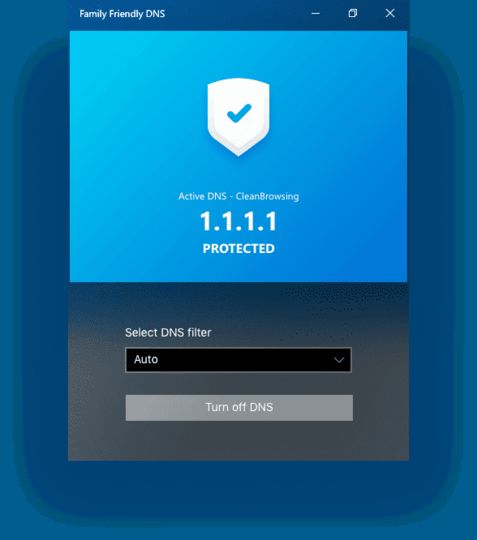
Family Friendly DNS makes it easy to filter out adult-oriented websites by switching to specific DNS servers.
In order to go to a particular website in a browser, the browser has to resolve the domain name (e.g. afterdawn.com) into an IP address that it can connect to. It does this with the help of DNS servers which are typically provided by your Internet Service Provider. Your system will automatically use DNS servers that are designated by the ISP (or rather your modem will).
However, there are public DNS servers you can change to manually for a variety of reasons, including performance and privacy. Some DNS servers sanitize the Internet by preventing adult websites (and other content not suitable for children) from being resolved, so the browser does not connect to the IP address.
This tool makes it easy to switch to either OpenDNS Family, Yandex Family, or CleanBrowsing, all of which can prevent a web browser from connecting to an undesirable website.
In order to go to a particular website in a browser, the browser has to resolve the domain name (e.g. afterdawn.com) into an IP address that it can connect to. It does this with the help of DNS servers which are typically provided by your Internet Service Provider. Your system will automatically use DNS servers that are designated by the ISP (or rather your modem will).
However, there are public DNS servers you can change to manually for a variety of reasons, including performance and privacy. Some DNS servers sanitize the Internet by preventing adult websites (and other content not suitable for children) from being resolved, so the browser does not connect to the IP address.
This tool makes it easy to switch to either OpenDNS Family, Yandex Family, or CleanBrowsing, all of which can prevent a web browser from connecting to an undesirable website.
Kuvakaappaukset:
Linkkaa tähän ohjelmaan kopioimalla allaoleva teksti kotisivuillesi:
Lisenssi
Ilmainen ohjelma / Freeware1
Valmistajan kotisivu
Siirry ohjelman kotisivulle
Lisätty
2.8.2019
Latauksia
24
Tiedoston koko
7,80 MB
(1min @ 1Mbps)
Tuetut kielet
Englanti
Käyttöjärjestelmä(t)
Win10 / Win7 / Win81
1Lisenssi- ja käyttöjärjestelmä(t)-kohtien tiedot koskevat ohjelman uusinta versiota.
(Ei arvosteluja)

